

Before
Everything scattered.
- Characters in one app
- Maps in another
- Lore buried in documents
- Stories lost in notes
- Ideas disconnected from each other
- Constantly switching tools
A home for worldbuilders, roleplayers, and fantasy creators of every kind.A home for fantasy creators of every kind.
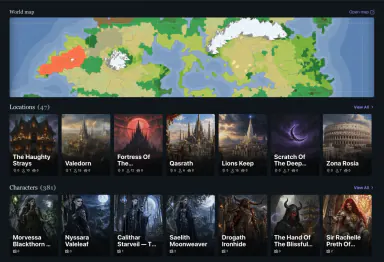
Keep your creations organized, connected, and easy to find as your world building grows.
Group characters, creatures, locations, factions, equipment, spells, and lore in custom categories.
See how Worlds work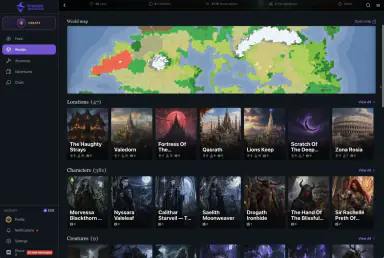
Tired of switching between tools, searching for old ideas, and trying to keep everything connected? Summon Worlds gives your creations one home.
Before
After
Create in your own style.
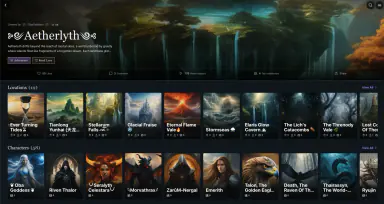
Bring it all together in one world.

Keep the whole setting in view.
Create a World
Give your story somewhere to happen.
Create a Location
Give each person a past and a place.
Create a Character
Put wildlife and monsters in context.
Design a creature
Show who shapes the world and what they want.
Build a faction
Give an object a purpose and a history.
Create equipment
Build magic with rules and consequences.
Create a spell
Try visual styles for people, places, and objects.
Explore image styles
Try Suggest a backstory and find tools for names and lore.
Explore writing toolsUse AI to draft ideas, then personalize it to make it yours.
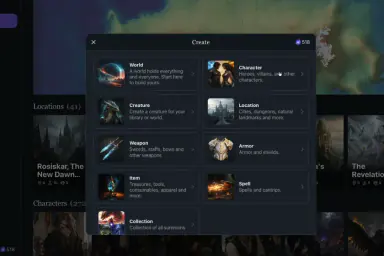
Create characters, creatures, locations, items, and more with AI. Refine the details and write character backstories up to 12,000 characters long.
Create a Character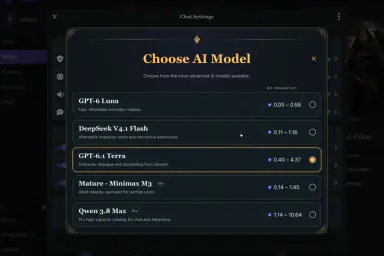
Choose from an evolving lineup of AI models for character conversations, roleplay, and adventures.
Explore character chat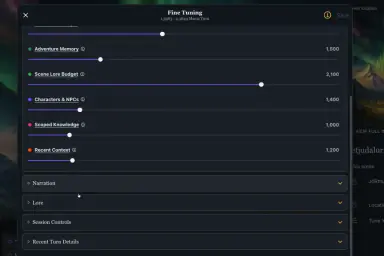
Adjust safety, memory, token budgets, and personalization settings. Choose from more than 12 response languages for character chats and adventures.
Explore Adventure ModeShape the terrain, draw borders, and pin your World’s locations directly to the map.
Start Building Now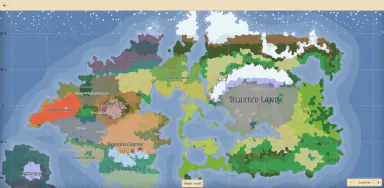
Summon Worlds creates characters through simplicity. It keeps every idea in its appropriate setting and adds depth to the lore and creativity in my writing.
Start with one place and one person. Let the details connect as you go.
Give Emberwake a name and a short premise.
Create the Tidemark Exchange and place it on a map if it helps your story.
Give Mara a profile and place her at the Exchange.
Make the market recognizable and explain why the islands meet.
Ask Mara about the early departure, or play an Adventure set at the Exchange.
Keep it private, invite collaborators, or publish it when ready.
Starting, organizing, and developing a fictional world.
Summon Worlds is a collaborative, AI-assisted worldbuilding app for writers, game masters, and roleplayers. It keeps fantasy worlds, characters, locations, equipment, spells, artwork, lore, and roleplay connected inside one evolving setting. Explore the worldbuilding app overview to see how those pieces work together.
An AI worldbuilding generator helps turn a premise or prompt into usable setting ideas, such as cultures, conflicts, locations, characters, and lore. Summon Worlds combines that assistance with structured organization, so generated ideas can be edited, connected, and kept consistent instead of remaining isolated text. Try the free worldbuilding generator for a focused starting point.
The best worldbuilding app for a beginner is one that makes it easy to start small, connect ideas, and revise without demanding an encyclopedia on day one. Summon Worlds supports that approach with a guided path from premise and world rules to locations, cultures, characters, conflict, and sharing. Start with the Learn Worldbuilding journey.
Begin with one clear creative promise: what should this world make people feel or wonder? Define a few pillars and rules, create one anchor location, then add the history, cultures, factions, and characters that naturally grow from those choices. The complete worldbuilding template turns that sequence into practical prompts.
Yes. Fantasy writers can use Summon Worlds as a visual story bible for tracking characters, places, relationships, history, magic, equipment, and lore across a novel or series. AI can help explore possibilities and overcome a blank page, while the writer chooses the canon and keeps authorship of the finished story. Follow the worldbuilding path for writers.
Characters, NPCs, backstories, locations, and visual references.
Yes. You can create a fantasy character with an identity, description, visual direction, structured details, relationships, equipment, and a place in the wider world. The result remains editable, so AI-generated material is a draft you direct rather than a fixed character you must accept. See how to create and customize a character.
Summon Worlds can help develop a D&D character concept, appearance, backstory, motives, relationships, equipment, and ties to a campaign setting. It is especially useful for making a character feel native to the world. It is not an official Dungeons & Dragons rules service, so confirm current mechanics with the rules and tools used by your table. Our D&D character creator guide explains the creative workflow.
Yes. Game masters can create NPCs with goals, relationships, conflicts, visual references, and story hooks, then connect them to the locations and factions that shape their behavior. For a quick standalone result, use the free fantasy RPG NPC generator; use the app when the NPC should remain part of an evolving campaign world.
A useful character backstory should explain what the character wants now, not merely list past events. Tie formative moments to a real place, culture, relationship, debt, belief, or conflict in the setting, then keep only the details that create present-day choices. The character backstory generator is designed around those connections.
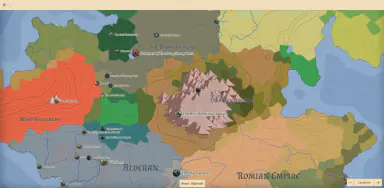
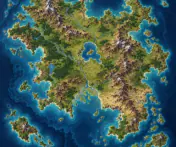
Yes. The World Map Maker lets you shape terrain, organize territories, and connect Locations from your World to places on the map. View a sample map or compare tools in the fantasy map maker guide.
Campaign preparation, character chat, solo play, and collaborative worlds.
Yes. Game masters can organize campaign settings, NPCs, locations, factions, equipment, spells, and story hooks in one connected world that can grow between sessions. The goal is to prepare pressures and possibilities rather than lock players into a predetermined plot. Follow the worldbuilding path for game masters.
Yes. Character chats let you explore a voice, relationship, memory, motive, or possible scene from inside the world you built. Regular and Bound Chats support different creative contexts, and the resulting conversation can be treated as exploration rather than automatic canon. Learn how to start an AI character chat.
Yes. A solo roleplayer can create a world and character, establish an immediate situation, then use character interaction and consequences to discover what happens next. You remain responsible for meaningful choices while AI supports responsive narration and roleplay. The solo RPG guide for beginners offers a simple scene-and-consequence loop.
Yes. Collaborative Worlds let friends, co-authors, game masters, and players contribute to one connected setting. Owners can invite collaborators and decide who can manage the World or contribute creations, which helps a group preserve a coherent source of truth. Start with the Collaborative Worlds guide.
You can build privately and decide when a World or creation is ready to be public. Published Worlds can give other people a browsable view of connected characters, locations, lore, and artwork, while private work remains part of your personal creative process. Review the current World publishing and sharing controls before changing visibility.
Play an interactive story where an AI game master narrates events and responds to your decisions using the world’s lore. Read the Adventure Mode guide.
Pricing, mobile availability, context, authorship, and choosing a platform.
Summon Worlds has a Free plan for creating Worlds and Characters, adding Locations, developing character memories, making visual references, and receiving Mana each day. PRO and one-time Mana options provide more room for larger projects and additional generation. Check the current pricing and plan comparison because limits and purchase terms can change.
Yes. Summon Worlds is available for iOS through the Apple App Store and for Android through Google Play. You can also open the web app in your browser. For mobile installation, follow the download and setup guide.
No. AI can suggest directions, draft descriptions, generate visual concepts, or help you explore a character, but the creator decides what is useful, edits the result, and chooses what becomes canon. Summon Worlds is designed as an AI-assisted creative workspace, not a substitute for authorship. Read more about using AI for worldbuilding without losing creative control.
Character chats can draw from eligible World information, memories, instructions, connected characters, equipment, lore, and events. Smart Context retrieves information relevant to the current message instead of loading every fact into every response. Creators can control which knowledge sources are available to a chat. See how Smart Context works.
Compare the workflow you will actually maintain. Structured lore, web and mobile access, character creation, visual generation, collaboration, sharing, and in-character roleplay matter differently to each creator. Review the worldbuilding software guide to see how Summon Worlds fits your project.
Generate artwork in different styles, and draft names, descriptions, backstories, and lore. Edit those drafts as your setting develops. Browse creative tools.
Find app instructions for creating, connecting, playing, publishing, and troubleshooting.
Open the GuidebookWork through a setting from its first idea to its people, places, history, and conflicts.
Explore worldbuilding lessonsFind a starting point for your next story or campaign, right in your browser.
Browse all generatorsPractical ideas for building settings, preparing adventures, and playing in the worlds you create.
Browse all guidesStart solo play with one character, one goal, and one obstacle.
Find a narrator who fits the tone of the adventure you want to play.
Use seven steps to build a setting whose geography, cultures, and rules connect.
Learn how Open and Authored Adventures turn your World into a playable story.
Choose between high fantasy, portal fantasy, and hidden worlds.
Build a setting for your next novel, tabletop campaign, or roleplay.
Start Building NowFree to start on web, iOS, and Android.


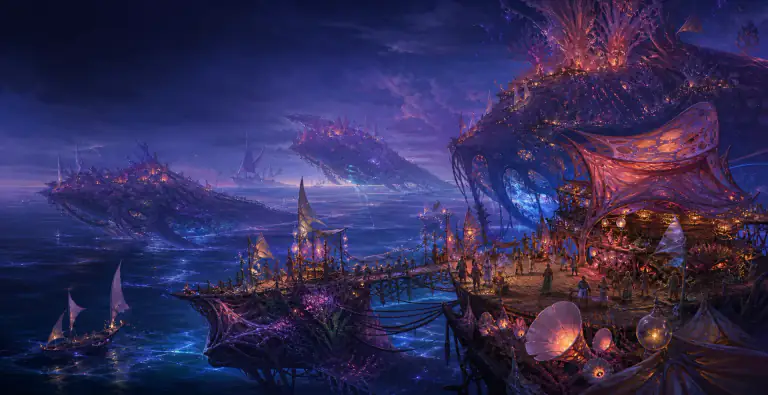
Emberwake · Guidebook artwork
Visit published settings and see the people and places their creators have shared.
Discover community Worlds


